Lost your Aadhaar card or need a digital copy for an important application? Whether you’re opening a bank account, completing KYC verification or applying for government services, having access to your Aadhaar can be useful.
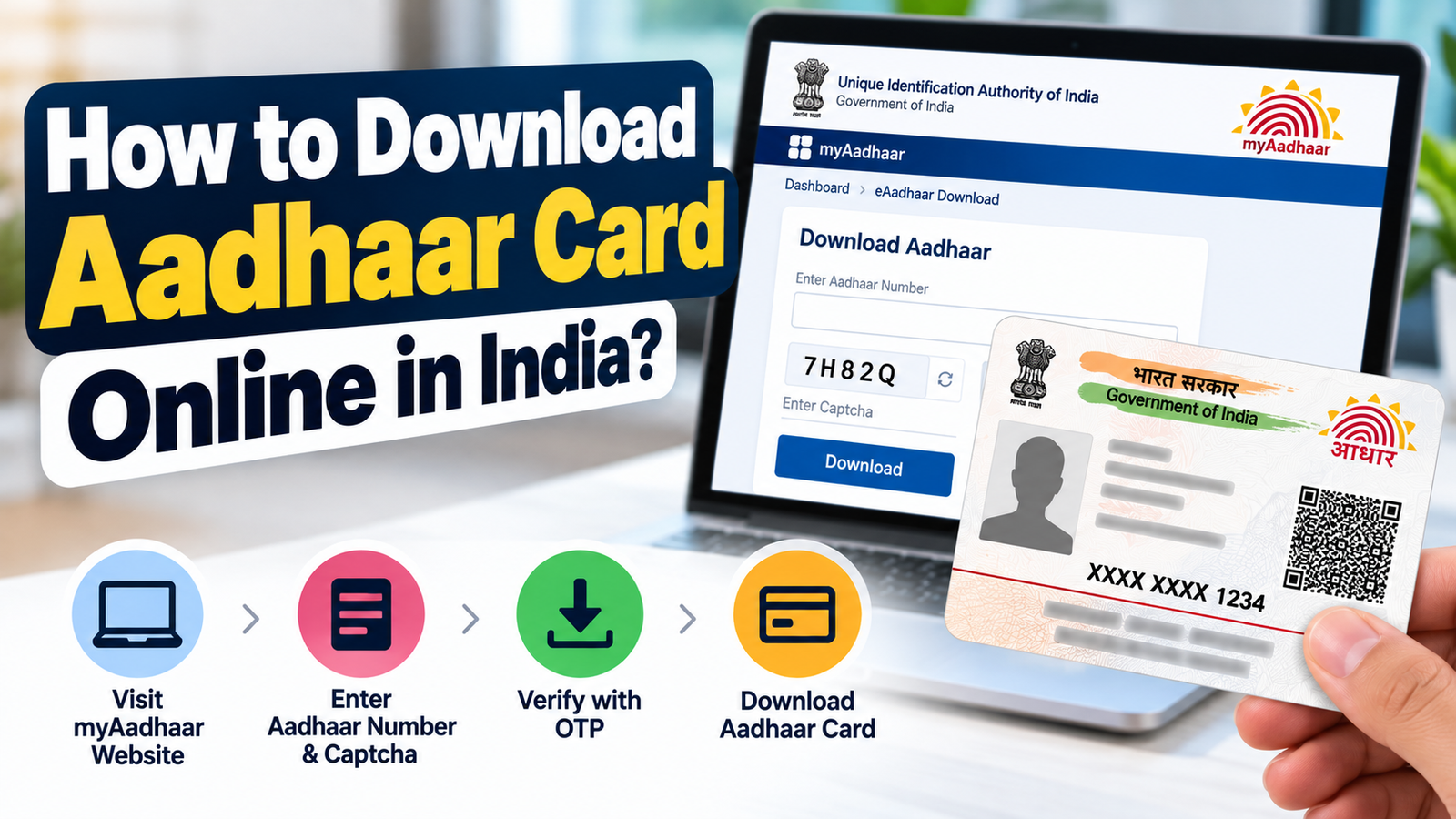
The good news is that you don’t need to visit an Aadhaar centre just to download an existing Aadhaar card. The Unique Identification Authority of India (UIDAI) provides a free online service that allows Aadhaar holders to download their digitally signed Aadhaar in PDF format.
You can use your Aadhaar number, Enrolment ID or Virtual ID to access the service.
In this guide, we’ll explain how to download your Aadhaar card online, open the password-protected PDF, download a masked Aadhaar and recover your Aadhaar details if you’ve forgotten your number.
What Is an e-Aadhaar Card?
An e-Aadhaar is an electronic version of your Aadhaar card, digitally signed by UIDAI.
It contains your personal information, including:
Full name
Aadhaar number
Date of birth or recorded age details
Gender
Residential address
Photograph and secure QR code
According to UIDAI, an e-Aadhaar is equally valid as a physical Aadhaar letter.
This means you don’t need to order a new physical card every time you need a copy of your Aadhaar.
How to Download Aadhaar Card Online Using Aadhaar Number
If you know your 12-digit Aadhaar number and have access to your registered mobile number, follow these steps.
How to Download Aadhaar Without Registered Mobile Number
A common problem is losing access to the mobile number linked with Aadhaar.
The regular online e-Aadhaar download service requires OTP authentication using your registered mobile number.
If you cannot access that number, you can visit an authorised Aadhaar enrolment centre and request assistance.
UIDAI provides a biometric-authenticated Aadhaar printing facility at eligible centres.
Another option is to order an Aadhaar PVC card through the official portal, which supports alternate mobile number verification. However, this is a paid physical-card service, not a free PDF download.
What Is Masked Aadhaar and How to Download It?
A masked Aadhaar is a privacy-friendly version of your Aadhaar.
Instead of displaying all 12 digits, it hides the first eight digits and shows only the last four.
For example:
XXXX XXXX 1234
To download it, visit the official Aadhaar download service, select the masked Aadhaar option and complete the required OTP verification.
Masked Aadhaar can help reduce unnecessary exposure of your identification number when the receiving organisation accepts this format.
Frequently Asked Questions
Is downloading Aadhaar card online free?
Yes. UIDAI provides the official e-Aadhaar download service free of charge.
Can I download Aadhaar using my mobile number only?
No. The regular download process requires your Aadhaar number, EID, VID or another supported identifier, along with the applicable authentication.
Is a downloaded Aadhaar legally valid?
Yes. UIDAI confirms that digitally signed e-Aadhaar is equally valid as the physical Aadhaar letter.
Can I print my downloaded Aadhaar card?
Yes. You can print your downloaded e-Aadhaar. The digital document is officially recognised, so ordering a PVC card is optional.
Can I download Aadhaar after updating my address?
Yes. Once the address update is successfully processed, you can download the updated e-Aadhaar from the official UIDAI service.
Final Words
Downloading your Aadhaar card online is simple when your registered mobile number is active.
For most users, the myAadhaar portal is the easiest way to obtain a free digital copy. If you’ve forgotten your Aadhaar number, retrieve it through UIDAI’s official recovery service before downloading.
Remember to keep your Aadhaar PDF secure, use masked Aadhaar where appropriate and never share OTPs with unknown individuals.
Disclaimer: This article is for general informational purposes and is not affiliated with UIDAI or any government department. Online services and authentication procedures may change. Always verify the latest instructions on the official UIDAI website.